A switch that does nothing can be frustrating, especially when a hallway light stays dark or a kitchen fan stops mid-task. The cause may be simple, such as a tripped breaker or a failed bulb. It may also involve a worn switch, loose wiring, or a larger circuit problem. This guide to how to fix electrical switches not responding covers ten practical checks, starting with safer, simpler possibilities. Small clues matter. Note whether nearby outlets work, whether the breaker has tripped, and whether the switch feels loose, warm, or unusually noisy. These details can help narrow down the problem without guessing.
Safety comes first. Turn off power at the breaker before inspecting a switch or its cover, and verify that the circuit is off with a suitable tester. Never touch exposed wiring while power is on. If you notice a burning smell, scorch marks, buzzing, heat, or repeated breaker trips, stop and contact a qualified electrician. Some faults are hidden behind the wall; a quick fix is not always a safe fix. The suggestions ahead focus on checks homeowners can approach cautiously and explain when professional help is the better choice. A little uncertainty is normal. Electrical symptoms can point to more than one cause, so work slowly and don’t assume a switch is faulty just because it stopped responding.
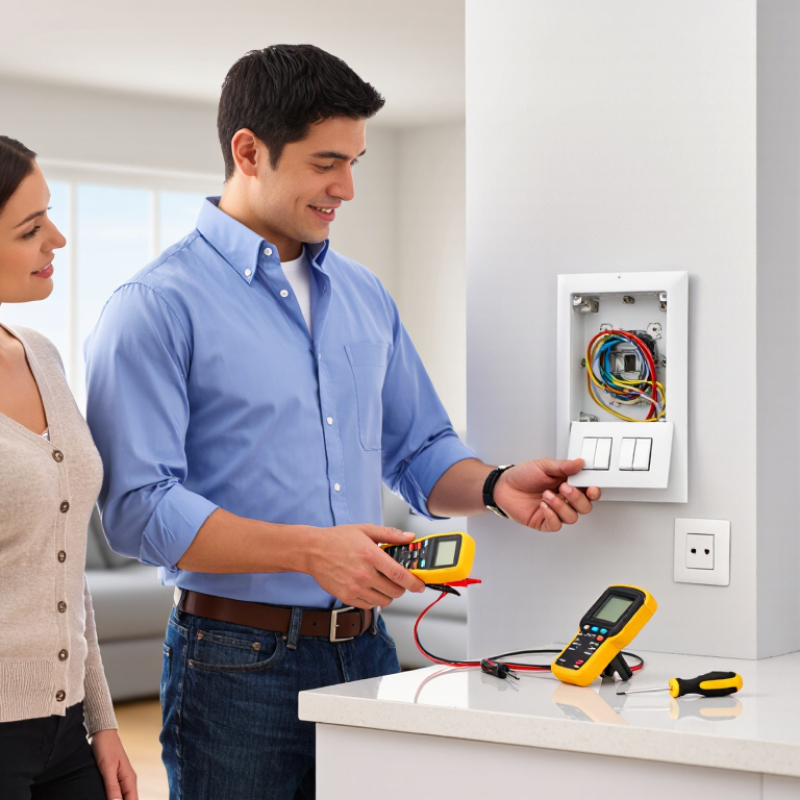
Before investigating an unresponsive switch, look for danger signs. Stop if the switch feels warm, smells burnt, sparks, or makes a buzzing sound. Keep hands dry, and do not remove the switch plate or touch exposed wiring. If you can safely identify the correct breaker, switch it off; otherwise, leave the circuit alone and call a licensed electrician. A dark room is inconvenient. A shock is not.
Next, narrow down the problem without opening anything. Check whether the bulb is loose or burned out, then try a working lamp in the same outlet, if available. Notice whether one switch or several lights have stopped working. A tripped breaker may point to a wider circuit issue, but repeated resets are not a fix. Write down when the fault began and any flickering, clicks, or recent changes. Symptoms can be misleading; a switch that feels normal may still have an internal fault.
Tips: Take a photo of the switch and note which lights it controls before requesting service. Don’t keep testing it if you notice heat, odor, or noise. Small details help an electrician assess the issue, though they may not reveal its cause.
How to use this chart: The bar values show the recommended step order, not measured success rates. Stop and contact a licensed electrician if you notice heat, sparks, a burning smell, or repeated breaker trips. Never handle exposed wiring.
When a wall switch stops responding, check the circuit breaker before replacing the switch. Turn the switch off, then look for a breaker sitting between ON and OFF. Keep your hands dry and stand on a dry floor. Move the tripped breaker fully to OFF, then back to ON once. You may hear a firm click. If it stays on, test the switch with a lamp or other ordinary device.
The National Fire Protection Association’s Home Electrical Fires report, covering 2015–2019, estimated about 32,620 U.S. home structure fires each year involving electrical failure or malfunction. These fires were associated with an average of 425 civilian deaths and $1.3 billion in direct property damage annually.
The figures do not mean a silent switch is dangerous by itself, but they support taking repeated electrical problems seriously. If the breaker looks normal, check whether other lights or outlets nearby have also lost power; the fault may affect more than one point. A tripped GFCI outlet can also interrupt power on some circuits. I would not assume the switch itself has failed until the circuit is checked. If the cause remains unclear, leave the switch off and arrange a professional inspection.
A dead wall switch may be downstream from a tripped GFCI or AFCI, rather than broken itself. Unplug appliances near the affected area, then check GFCI outlets in bathrooms, kitchens, garages, basements, and outdoors. One upstream outlet can protect several rooms. Press RESET firmly once. You should feel a click; if it will not stay in, stop. Moisture, a damaged appliance, or a wiring fault may be causing the trip. Don’t keep pressing it.
For an AFCI, check the electrical panel only if it is dry and there are no signs of damage. Move the tripped breaker fully to OFF, then back to ON. If it trips again, leave it off and contact a qualified electrician. Never remove the panel cover. NFPA’s 2022 Home Electrical Fires report estimated 32,620 U.S. home fires involving electrical failure or malfunction each year from 2015 to 2019, with 430 civilian deaths annually. These figures do not mean a tripped device signals a fire, but protective devices deserve attention. A missed upstream outlet is easy to overlook. If a reset restores power, but the switch stays unresponsive, arrange a proper inspection instead of opening the switch box.
| # | Possible Cause | What to Check or Do | Safety Guidance |
|---|---|---|---|
| 1 | Bulb or light fixture failure | Try a known-working bulb of the correct type and rating. If practical, check whether the fixture works from another control. | Turn the switch off before replacing a bulb. Do not use a bulb that exceeds the fixture’s marked rating. |
| 2 | Tripped circuit breaker | Check the electrical panel for a breaker that is off or between positions. If safe to do so, move it fully to OFF, then back to ON once. | Keep the panel cover in place. If the breaker trips again, leave it off and contact a qualified electrician. |
| 3 | Tripped GFCI receptacle on the same circuit | Look for a GFCI receptacle in nearby bathrooms, kitchens, garages, basements, laundry areas, or outdoors. Press RESET if it is tripped, then test the switch. | Do not reset a wet, damaged, hot, or repeatedly tripping device. Have the cause checked before using the circuit again. |
| 4 | Tripped AFCI protection | Check the panel for an AFCI breaker with a trip indication. Follow the breaker’s labeled reset procedure once, then see whether the switch works. | If the AFCI trips again, do not keep resetting it. Repeated trips can indicate a wiring or equipment fault that needs professional diagnosis. |
| 5 | Another device has interrupted the circuit | Unplug recently connected appliances on the affected circuit, then reset the related GFCI or breaker once and retest the switch. | Unplug equipment by the plug, not the cord. Stop if you notice heat, sparks, a burning smell, or discoloration. |
| 6 | Loose or poorly seated plug-in connection | Check accessible plugs and cords serving the affected area. Reconnect any loose plug securely and test the switch. | Do not open a switch box or outlet to inspect wiring unless you are qualified and have verified the circuit is de-energized. |
| 7 | Dimmer or control incompatibility | If a dimmer was recently installed or a bulb changed, check that the bulb is marked as dimmable and is compatible with the control. Follow the manufacturer’s instructions. | Turn off the circuit at the breaker before any replacement or wiring work. Use a qualified electrician if compatibility is uncertain. |
| 8 | Smart switch or control needs a restart | Consult the device instructions for its restart or reset procedure. Check for a tripped breaker or GFCI first; some controls also require a neutral connection or a specific load. | A factory reset may erase settings. Do not remove the device or handle wiring while it is energized. |
| 9 | Switch is mechanically damaged or worn | Notice whether the switch feels loose, cracked, unusually stiff, or fails to click normally. Arrange for replacement if it appears damaged. | Do not use a switch that is hot, buzzing, sparking, or visibly damaged. Turn off the circuit if safe and call an electrician. |
| 10 | Wiring fault or failed connected fixture | If basic checks do not restore operation, or multiple lights or outlets are affected, have a qualified electrician inspect the switch, connections, and circuit. | Stop troubleshooting and seek professional help for repeated trips, shocks, burning odors, scorch marks, or exposed wiring. Never work on energized wiring. |
A silent switch does not always mean the switch has failed. The bulb may have burned out, loosened slightly, or stopped working after a brief flicker. Turn the switch off, let the bulb cool, and check that it is seated properly. If it still does not light, try a compatible working bulb. Change one thing at a time; it is easy to blame the switch too soon.
Tips: Test the bulb in a known-working lamp, if its base and rating match. If the bulb works, check the fixture with a compatible bulb. Keep hands dry, and never touch exposed wiring.
A fixture can fail even when its bulb is good. Look for visible damage, a cracked socket, scorch marks, or a burnt smell, but do not dismantle it while energized. If the fixture seems intact, check whether an appliance connected to the switched outlet works elsewhere. Unplug it before moving it, and avoid using a damaged cord or outlet. I have seen simple bulb checks save an unnecessary repair call, though they do not prove the wiring is safe. If the switch feels hot, sparks, buzzes, or still does nothing after these checks, stop testing and contact a qualified electrician.
A switch that does not respond may have a worn mechanism, a loose connection, or a problem elsewhere in the circuit. Do not assume the switch itself is faulty. Before inspecting it, switch off the correct circuit breaker and prevent anyone from turning it back on. The wall switch being off is not enough. Verify the wires are de-energized with a properly rated voltage tester, following its instructions. Stop there if you are unsure how to test safely.
With the power confirmed off, remove the cover and look for visible cracks, heat discoloration, a burnt smell, or loose-looking terminals. Do not touch exposed conductors. A warm or scorched switch needs attention, not another test under power. If replacing the switch, use a compatible type and rating, and follow its installation instructions carefully. Take a clear photo of the existing connections only after confirming the circuit is isolated. It is easy to misread wire positions, even when they look obvious. If the wiring differs from the instructions, the tester gives an uncertain result, or the breaker trips again, stop and call a qualified electrician.
Stop using it. Keep your hands dry, and do not remove the switch plate. If safe, turn off the correct breaker; otherwise, call a licensed electrician.
Check whether the bulb is loose or burned out. If available, test a working lamp in the same outlet.
Yes, if you can do so safely. Stand on a dry floor, turn the switch off, and look for a breaker between ON and OFF.
Move it fully to OFF, then back to ON once. Stop there. If it trips again, do not keep resetting it.
Unplug devices on that circuit and contact a licensed electrician. Do not remove the electrical panel cover.
Yes. Check nearby lights and outlets for lost power. A tripped GFCI outlet may also interrupt power on some circuits.
Not necessarily. The problem may involve the bulb, breaker, or wider circuit. A normal-feeling switch can still have an internal fault.
Note when the problem began, any flickering or clicking, and recent changes. A photo showing the switch and its lights may help, though it cannot identify the cause.
When a switch stops responding, begin by prioritizing electrical safety and identifying exactly what is affected. Note whether the problem is limited to one light or appliance, or whether several items have lost power. Check the circuit breaker and restore it if it has tripped, following safe procedures. If the circuit is protected by a GFCI or AFCI device, check whether it needs to be reset. Also rule out simple causes, such as a burned-out bulb, a faulty fixture, or a problem with the connected appliance.
If these checks do not solve the issue, the switch itself may need inspection or replacement. Before touching any wiring, turn off power to the circuit at the breaker and verify that it is off with an appropriate tester. Avoid working on energized components. If you are unsure, cannot safely isolate the power, or see signs of damage, stop and contact a qualified electrician. These steps offer a cautious approach to how to fix electrical switches not responding while helping reduce the risk of electric shock or further damage.

Booka Tool